


Elevate - Brain Training Games
4.651.07K Reviews
App Specs
- Version
- 5.250.1
- Updated On
- License
- Free
- Downloads
- 10,000,000+
- Developer
- The Mind Company
- Categories
- Education
- Platform
- Android, iOS
Screenshots


 Analysis by AppCompare
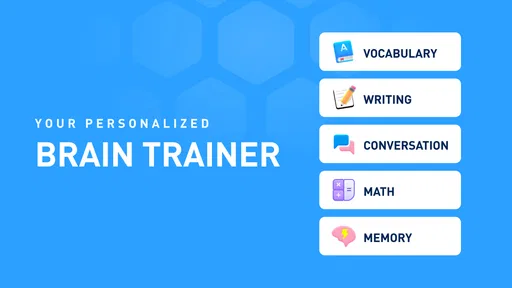
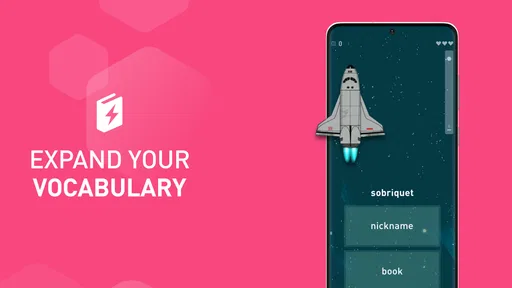
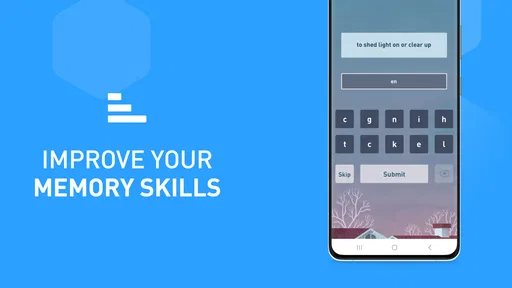
I judge a brain-training app less by big promises than by what it asks me to do, how clearly it explains the experience, and whether I can fit it into a normal day. Elevate - Brain Training Games takes a practical, puzzle-based approach: its activities draw on areas such as math, vocabulary, grammar, reading comprehension, and memory. I find that mix more appealing than an app built around just one kind of challenge, especially when I want a brief change of pace rather than a formal lesson.
That broad approach is also a reason to keep expectations grounded. Short puzzles can give me a structured way to practise and notice how I perform within the app, but I would not treat a rising score as proof that every skill has improved outside it. I see Elevate as a source of focused practice and a small daily routine, not a substitute for studying a subject, reading widely, or getting professional support when that is what I need.
What its reputation can—and cannot—tell me
Made by The Mind Company, Elevate is an education app that has been around since June 4, 2014. It has a 4.6 average from around 503,000 ratings, with more than 10 million installs. That kind of reach suggests that many people have tried it, but popularity alone cannot tell me whether its style suits my attention span or learning goals. I would use those figures as context, then decide based on whether the exercises feel useful to me.
The app is free to download and rated for Everyone. In-app purchases range from $0.99 to $399.99 per item, so I would look closely at the purchase screen before committing to anything and check what the current free experience includes. A wide listed price range is a good reason to pause and read the options rather than tap through on autopilot. If I only want to sample the training, I would start without buying and see whether I enjoy the routine first.
Getting Started with Elevate
Downloading Elevate - Brain Training Games is a breeze. Available on both Android and iOS, it’s as simple as pie. Once you’ve got it up and running, the app greets you with a sleek, user-friendly interface. The design is minimalistic, which I appreciate because who needs unnecessary clutter when you’re trying to focus, right?
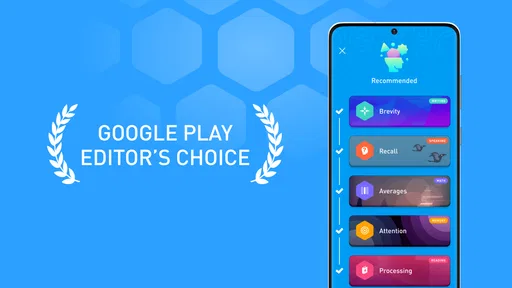
The app asks you a few questions to tailor the experience to your personal needs. Whether you’re looking to improve your speaking skills, boost your memory, or just want to feel a little sharper, Elevate’s got your back. After setting your goals, the app crafts a personalized training program just for you. It’s like having a personal trainer, but for your noggin.
Choosing a routine that fits real life
In everyday use, I would treat the personalized plan as a starting point, not a rulebook. If I have only a few minutes before work, I can open a session and focus on the exercises it presents; on a quieter evening, I can spend longer exploring the range of activities. A useful habit is to pick a repeatable moment—after breakfast, during a commute when I am not driving, or while waiting for an appointment—so training does not become another task I keep postponing.
Worth Reading Before You Choose

EA SPORTS FC Mobile 26 Is a Bigger Football Game, but It Takes Time

Flipboard Shows What News Apps Must Do Beyond the Feed

Switching to Android Auto Means Rethinking Your Driving Routine

Google Calendar Makes a Crowded Week Easier to Manage

Ludo King Makes the Most of the Minutes Between Plans

Baby Panda World Brings Quick Play to Modern Phones, but Its Game Library Feels Busy
I would also be selective about the goals I choose. If I mainly want to practise vocabulary, setting too many broad ambitions may make the routine feel less relevant. A narrower intention gives me a clearer way to judge whether I enjoy the exercises and whether I want to return. Conversely, someone who wants variety across several kinds of mental tasks may appreciate a plan that moves between them instead of repeating one drill.
One practical question is whether this is a good fit for children or a family device. Its Everyone age rating makes it broadly suitable from a content-rating perspective, but that does not replace a parent’s judgement about screen time, purchases, or whether the activities match a child’s needs. I would explore the app together first, especially because it includes paid items, and agree on a simple rule before handing over a device.
Gameplay and Features
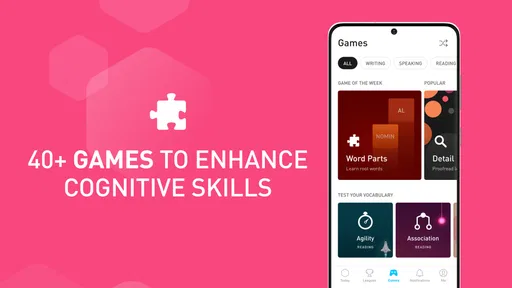
Now, let’s dive into the nitty-gritty — the games themselves. Elevate offers a variety of games designed to improve skills like focus, processing speed, and comprehension. Each game is short, sweet, and to the point, making it easy to fit a quick session into your day. Whether you’re on a coffee break or waiting for the bus, you’ve got time for Elevate.
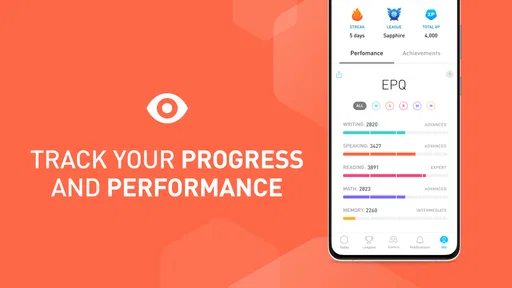
The app also features a progress tracker that lets you see how much you’ve improved over time. There’s something incredibly satisfying about watching those stats go up. Plus, it motivates you to keep going. Who doesn’t love a bit of friendly competition with themselves?
Making progress numbers useful
I find progress tracking most useful when I compare my own sessions under similar conditions, rather than treating every score as a definitive measure of ability. A puzzle can feel easier after I learn its format, and a rushed session may reflect distraction more than skill. To make the tracker meaningful, I would pay attention to which activities feel consistently challenging and use that observation to choose what to practise next.
This is one place where a little restraint helps. If checking scores starts to feel like pressure, I would focus on completing a session and noticing what I learned about the task instead. A training app should support a routine, not make a quiet moment feel like an exam. For someone who enjoys seeing a record of their practice, the tracker can be motivating; for someone who dislikes performance metrics, it may be easier to use the games without making the numbers the point.
Compared with a standard flashcard app, Elevate appears better suited to people who want varied, interactive exercises rather than a deck they build and review themselves. Flashcards may be the stronger choice for memorising specific facts, course vocabulary, or material that must match a syllabus. Compared with a general puzzle collection, Elevate gives the experience a training structure and progress context, while a standalone puzzle game may be preferable if the main goal is simply entertainment without a routine.
Trust, choices, and moments to pause
My cautious approach to any app is to make decisions at the point where they matter. During setup, I would read each question before answering and share only what feels relevant to choosing a routine. If a permission request appears, I would consider whether it makes sense for the activity I am trying to use, and I would review the device’s app-permission settings rather than assume that every request is essential. I do not treat a polished interface as a replacement for checking the choices shown on my own device.
The same care applies to accounts and personal settings. Before entering details or changing preferences, I would look at the controls presented in the app and use the device’s settings where appropriate. I would not enter sensitive information simply because a screen invites me to complete a profile. If I am using a shared phone or tablet, I would also take a moment to check which account is active and whether purchases require an extra confirmation step.
Paid options are the clearest point where I would slow down. With in-app items listed across a broad price range, I would read the exact amount and terms displayed for the particular choice, then confirm that I am comfortable before proceeding. For a child or anyone likely to tap quickly, purchase controls on the device can add a useful checkpoint. That is a practical safeguard, not a judgment about the app; it helps make spending an intentional decision.
Gameplay and Features
Now, let’s dive into the nitty-gritty — the games themselves. Elevate offers a variety of games designed to improve skills like focus, processing speed, and comprehension. Each game is short, sweet, and to the point, making it easy to fit a quick session into your day. Whether you’re on a coffee break or waiting for the bus, you’ve got time for Elevate.
The app also features a progress tracker that lets you see how much you’ve improved over time. There’s something incredibly satisfying about watching those stats go up. Plus, it motivates you to keep going. Who doesn’t love a bit of friendly competition with themselves?
Why Elevate Stands Out
One of the things that makes Elevate stand out is its focus on personalization. The app continuously adapts to your progress and adjusts the difficulty of the games accordingly. This ensures that you’re always challenged, but not overwhelmed. It’s like the app really gets you.
Another cool feature is the daily workout reminder. It’s like a gentle nudge, reminding you to take a few moments out of your day to focus on yourself. And let’s be real, who doesn’t need a little reminder now and then?
Where the trade-offs matter
That adaptive approach can make returning feel smoother, but it also means I would not expect every session to target the exact skill I have in mind. If I need a structured curriculum, detailed explanations, or practice tied to a particular class or exam, I would choose a dedicated learning resource instead. Elevate is more of a flexible set of short challenges than a replacement for a teacher, textbook, or carefully sequenced course.
There is a similar trade-off with reminders. A nudge can help me establish a habit, but it is only helpful if it arrives at a time that suits me. If reminders become noise, I would adjust the notification choices available on my device or simply rely on a routine I already have. I would rather use the app occasionally and willingly than let a streak or alert turn leisure into an obligation.
For a realistic everyday example, I might use a short session while waiting for a train, then stop when I reach my destination rather than trying to squeeze in more. That makes the exercises a deliberate alternative to aimless scrolling. If I am tired, distracted, or trying to learn material that needs careful concentration, I would save the session for later; a rushed attempt is unlikely to be as satisfying as giving the puzzles my attention.
Who will enjoy it, and who may prefer something else
I can see Elevate working well for adults who like compact challenges, want a varied routine, and enjoy seeing their practice recorded. It may also suit someone who wants to make a waiting period feel more intentional without carrying a workbook. People who are curious about several kinds of mental exercises, rather than committed to only arithmetic or word study, are likely to get more from its range.
I would skip it if I wanted a deep, subject-specific course, a guaranteed way to improve real-world performance, or a completely unstructured game with no training framing. It may also be a poor match for anyone who finds scores demotivating or who dislikes being prompted to return. In those cases, a paper puzzle, a targeted language-learning tool, a flashcard system, or simply a book may fit better, depending on the goal.
On Android, the current version is 5.221.0 and the minimum operating system requirement is Android 9. Since the app is also available on iOS, I would check compatibility on the device I plan to use before installing. If I am choosing between a phone and a tablet, I would use whichever makes short interactions comfortable; there is little value in a routine that feels awkward to open or use.
Final Thoughts
All in all, Elevate is a fantastic app for anyone looking to boost their mental skills in a fun and engaging way. It’s perfect for those of us who want to make the most of our downtime and feel a little sharper in our everyday lives. So, if you’re ready to give your brain a good workout, why not give Elevate a try? It’s like giving your mind a warm hug.
My recommendation is to begin with a modest routine, explore the exercises that genuinely hold your attention, and treat progress as a prompt for reflection rather than a verdict on your abilities. I would start with the free experience, review any purchase or permission choices carefully, and decide after a few sessions whether its mix of short puzzles suits me. That cautious approach leaves room to enjoy the app without expecting it to do more than it can.
Pros
- Engaging and interactive exercises.
- Customizable training plans.
- Tracks progress with detailed stats.
- Enhances cognitive skills effectively.
- User-friendly interface.
Cons
- Requires subscription for full access.
- Limited free content.
- Can be repetitive over time.
- Requires internet connection.
- Not suitable for all learning styles.
FAQs for Elevate - Brain Training Games
What is Elevate - Brain Training Games, and how does it work?
Elevate is a cognitive training app designed to enhance various mental skills such as focus, memory, math, and comprehension. It offers personalized training programs that adapt to your performance, ensuring that each session is challenging and effective. The app uses engaging mini-games and exercises to make learning fun and interactive.
Is Elevate suitable for all age groups?
Yes, Elevate is designed for a wide range of users, typically aged 16 and above. While it is most beneficial for adults looking to sharpen their cognitive abilities, its engaging games and exercises can also be enjoyed by teenagers who wish to improve their academic skills. However, it's not tailored specifically for young children.
Does Elevate require an internet connection to function?
Elevate requires an internet connection for initial setup and updates, but once the games are downloaded, many features can be accessed offline. This allows users to train anytime and anywhere without being dependent on a constant internet connection, making it convenient for use during commutes or travel.
Are there any subscription fees associated with Elevate?
Elevate offers a free version with limited access to games and features. For those seeking a more comprehensive experience, there is a premium subscription available. The subscription provides full access to all games, personalized training programs, and additional content. Pricing may vary based on location and subscription duration.
How does Elevate measure and track user progress?
Elevate uses a performance-based system that tracks your progress through detailed analytics. It provides insights into your strengths and areas for improvement by logging scores and game activity. Users receive regular feedback, allowing them to monitor their growth over time and adjust their training focus accordingly.


